Your First Container Cluster Won’t Survive Contact With Reality (And That’s Fine)

Picture this: you’ve containerized your application, pushed it to a registry, and now you’re staring at three different deployment strategies that all claim to be “production-ready.” Your staging environment works perfectly with docker-compose, but your ops team keeps mentioning Kubernetes like it’s the only path to enlightenment. Meanwhile, your CTO heard about “serverless containers” at a conference and wants to know why you’re not using Fargate.

Here’s the thing nobody tells you about container orchestration: your first cluster will be wrong. Not broken, just wrong for what you’ll actually need six months from now. The trick isn’t building the perfect system from day one. It’s building something that teaches you what you actually need while keeping your application running.

Start With What You Can Actually Debug

Docker Swarm gets dismissed as “Kubernetes for beginners,” which misses the point entirely. Swarm isn’t training wheels for Kubernetes. It’s a completely different tool that happens to solve 80% of container orchestration problems with 20% of the complexity. When your API starts returning 500 errors at 2 AM, you’ll appreciate that Swarm’s networking model doesn’t require a PhD in cluster networking to troubleshoot.

A basic Swarm setup looks like this: three nodes, a simple stack file, and secrets managed through Docker itself. You can deploy it with `docker stack deploy -c docker-compose.yml myapp` and get rolling updates, health checks, and service discovery without writing a single YAML manifest that references custom resource definitions you don’t understand yet.

The real advantage isn’t simplicity for its own sake. When things break (and they will), you can actually figure out what happened. Swarm’s error messages point to real problems instead of sending you down rabbit holes about pod scheduling constraints and CNI plugin conflicts.

Rolling Updates That Actually Roll

Deployment strategies sound academic until you’re pushing code to production on a Friday afternoon. Blue-green deployments promise zero downtime, but they also promise double your infrastructure costs and twice the complexity. Rolling updates offer a middle ground that works surprisingly well for most applications, assuming you understand the tradeoffs.

In Swarm, rolling updates happen automatically when you redeploy with a new image tag. The orchestrator stops one container, starts a replacement, waits for health checks to pass, then moves to the next one. Configure `update_config.parallelism: 1` and `update_config.delay: 10s` in your stack file, and you get controlled, observable deployments without extra tooling.

The catch is that rolling updates require your application to handle mixed versions gracefully. If version 1.2 of your API breaks compatibility with version 1.1, a rolling update becomes a rolling disaster. This constraint isn’t a limitation of the deployment strategy. It’s a feature that forces you to build more resilient software.

When Simple Stops Being Enough

You’ll know it’s time to graduate from Swarm to Kubernetes when you start hitting specific limitations, not when someone tells you that “real companies use K8s.” The clearest signal is when you need features that Swarm simply doesn’t provide: complex scheduling constraints, custom operators, or integration with cloud-specific services that require Kubernetes APIs.

Kubernetes gives you everything Swarm does, plus about fifty other things you didn’t know you needed. Pod anti-affinity rules let you make sure that database replicas never run on the same node. Custom resource definitions let you extend the API to manage application-specific resources. Horizontal pod autoscaling adjusts replica counts based on CPU usage or custom metrics.

But here’s what the Kubernetes advocates won’t tell you: most applications never need these features. If you’re running a web application with a database and maybe a background job processor, Swarm covers your needs completely. Kubernetes becomes essential when you’re managing dozens of services with complex interdependencies, not when you’re deploying your first containerized application.

The Hidden Costs of Orchestration Complexity

Every orchestration platform comes with operational overhead that compounds over time. Kubernetes clusters need regular upgrades, certificate rotation, and monitoring for dozens of system components. Swarm requires less maintenance, but you’ll eventually hit scaling limits or missing features. Managed services like ECS or Cloud Run eliminate infrastructure management but lock you into specific cloud providers.

The real cost isn’t the learning curve or even the infrastructure complexity. It’s the cognitive load of debugging problems that span multiple abstraction layers. When your application pod can’t reach your database service, the problem could be in your application code, the container image, the pod specification, the service definition, the network policy, the CNI plugin, or the underlying node networking.

Start with the simplest orchestration platform that meets your current needs, not your projected future needs. Build monitoring and logging from day one, because you’ll need both when you inevitably migrate to something more complex. And remember that the best deployment strategy is the one your team can operate confidently when everything goes wrong.

What deployment challenges are you facing with your current setup? The path from Docker containers to production orchestration isn’t linear, and there’s no shame in taking the long way around if it means you understand your infrastructure when you arrive.
The Ghost in the Container: How We Almost Lost Everything to a Supply Chain Attack

When Your Build Pipeline Becomes Your Worst Enemy

It was 2:47 AM on a Tuesday when our monitoring started screaming. Not the usual “disk space low” whimper, but the full-throated wail that makes your stomach drop before your brain even processes what’s happening. Our main application was making outbound connections to IP addresses in Eastern Europe. Lots of them. The kind of behavior that makes security teams reach for the whiskey bottle.

The Ghost in the Container: How We Almost Lost Everything to a Supply Chain Attack

What we discovered over the next eighteen hours changed how I think about modern software stacks forever. The vulnerability wasn’t in our code, our infrastructure, or even our third-party dependencies. It was hiding three layers deep in our build pipeline, masquerading as a helpful development tool that had been quietly stealing environment variables for three months. The attack was so elegant it was almost beautiful, if you ignore the part where it nearly destroyed our startup.

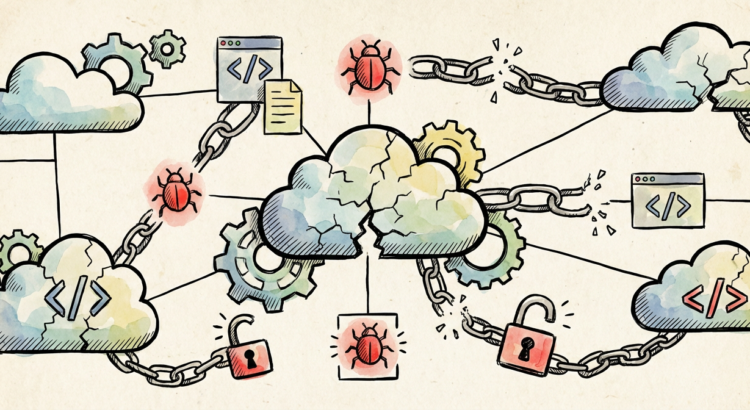
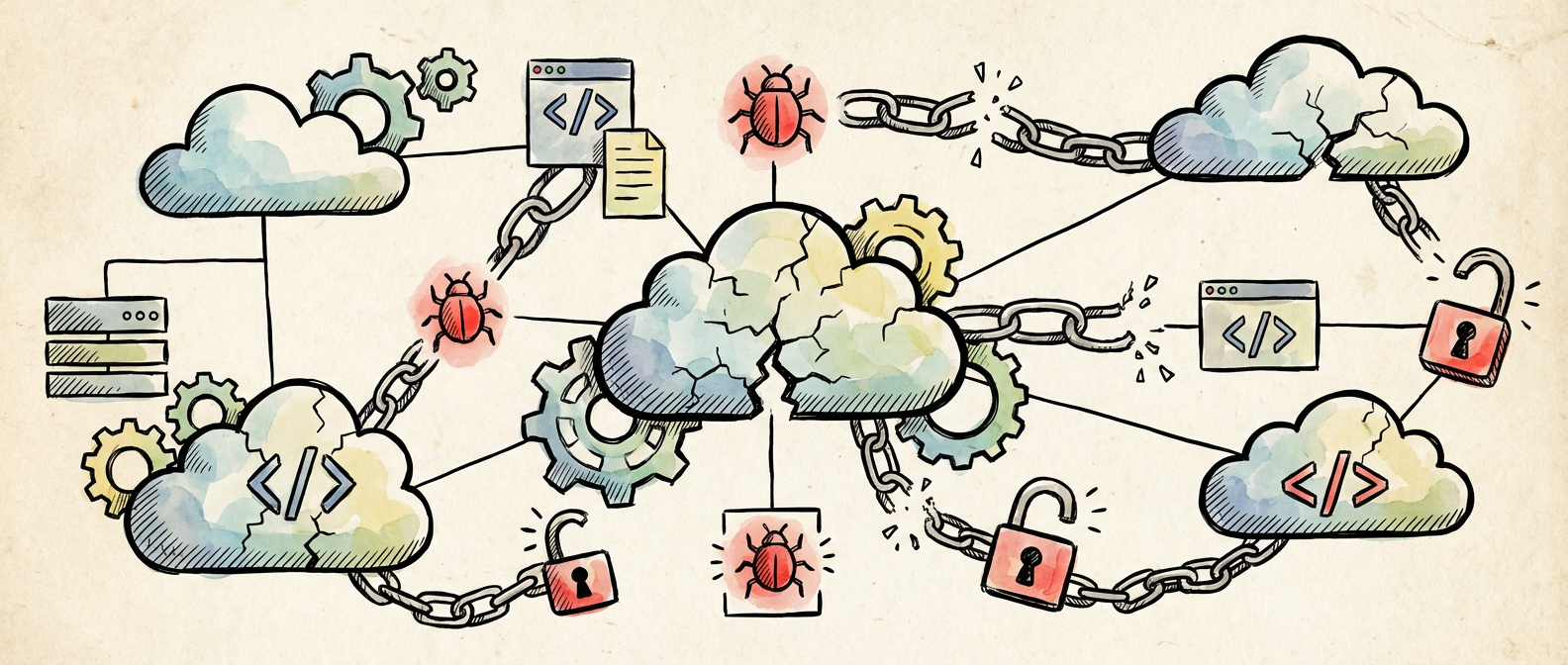
Illustration for The Ghost in the Container: How We Almost Lost Everything to a Supply Chain Attack

The Modern Stack: A House of Cards Built on Trust

Today’s applications are incredible exercises in composition. A typical microservice pulls in dozens of npm packages, runs in a Docker container built from a base image with hundreds of system libraries, orchestrated by Kubernetes, monitored by agents that themselves have dependencies, all deployed through CI/CD pipelines that execute code from multiple repositories. Each component trusts the next in this complex web of assumptions that would make a medieval theologian weep with envy.

The problem isn’t that we have dependencies. The problem is that we’ve built a culture where adding a new dependency is easier than writing ten lines of code. Need to left-pad a string? There’s a package for that. Want to check if a number is odd? Someone’s published an npm module that does exactly that, and somehow it has 50,000 weekly downloads. We’ve optimized for developer velocity at the expense of understanding what we’re actually running in production.

This isn’t just philosophical hand-wringing. In our case, the compromised package was buried four levels deep in our development dependencies. It wasn’t even running in production, just during our build process. But it had access to everything: AWS credentials, database connection strings, API keys for every service we used. The attacker didn’t need to compromise our production infrastructure when they could just wait for our CI system to hand them the keys to the kingdom.

The Sleight of Hand: How Supply Chain Attacks Really Work

The traditional security model assumes a perimeter. You have trusted code inside the walls and untrusted input from outside. Firewalls, input validation, authentication, authorization. All great tools for fighting the last war. Supply chain attacks laugh at your perimeter because the threat is already inside, invited in through your own front door and given root access to your most sensitive systems.

The package that bit us was called “dev-utils-helper” — generic enough to fly under the radar, useful enough to get included in other packages. Its maintainer had been building credibility for two years, publishing legitimate tools and building a reputation in the community. Then one day, version 2.1.7 included a few extra lines of code that would make a network request during installation, but only if certain environment variables were present. Variables that just happened to match the naming conventions used by popular CI systems.

The genius of it was the timing. The malicious code only activated during package installation, not runtime. It looked for environment variables that indicated it was running in a build environment, then quietly collected whatever secrets it could find and sent them home. No runtime performance impact, no suspicious network traffic from production servers, no obvious signs of compromise. Just a build process that took an extra 200 milliseconds while our entire infrastructure got pwned.

Detection: Finding Needles in Increasingly Large Haystacks

We got lucky. Our network monitoring caught the outbound connections from the CI system because someone had the foresight to treat build infrastructure as potentially hostile. Most organizations don’t. They secure production environments and treat development and build systems as trusted internal resources. That’s exactly backwards in a world where your development tools might be more dangerous than your production traffic.

The detection problem is genuinely hard. Static analysis can catch obvious malware, but sophisticated attacks use techniques that look identical to legitimate functionality. Dynamic analysis helps, but it’s resource-intensive and easy to evade with conditional logic that only triggers in specific environments. Dependency scanning tools are useful for known vulnerabilities, but they’re always playing catch-up with novel attacks.

What actually works is assuming breach from the beginning. Segment your build environments. Limit the credentials available during builds to exactly what’s needed, not everything that’s convenient. Monitor network traffic from systems that shouldn’t be making external connections. Use temporary credentials that expire quickly. None of this prevents supply chain attacks, but it limits the damage when they succeed.

The most effective change we made was implementing a “staging secrets” system where our CI pipeline gets access to non-production credentials that let us deploy to staging environments but can’t touch production data. Real production deployments happen through a separate, more locked-down process that doesn’t have the same dependency attack surface. It’s less convenient, but convenience is what got us into trouble in the first place.

Building Resilience in an Untrustworthy World

The uncomfortable truth is that perfect security is incompatible with modern development practices. We’re not going back to writing everything from scratch in assembly language, and we shouldn’t. The productivity gains from reusable components and rapid iteration are real and valuable. But we need to design systems that can function safely even when components are compromised.

This means embracing paranoia as a design principle. Every component should have limited access to exactly what it needs and nothing more. Build systems should run in isolated environments with minimal credentials. Production deployments should require human approval and cryptographic signatures. Monitoring should assume that anything generating logs might be lying.

The other piece is cultural. We need to stop treating dependency management as a solved problem and start treating it as an ongoing security practice. That means actually reading the code in packages you depend on, especially for anything that runs with elevated privileges. It means pinning versions and testing updates in isolated environments before deploying them. It means having a plan for when (not if) a dependency gets compromised.

Six months later, we’re still finding edge cases in our new security model. It’s messier and sometimes slower than the old way of doing things. But I sleep better at night knowing that when the next clever attack comes along, we might actually detect it before it completely ruins our day. If you’ve got war stories from your own encounters with supply chain security, I’d love to hear them. The only way we’re going to stay ahead of this problem is by sharing what we’ve learned the hard way.

The Quiet Revolution: Why jq Deserves a Permanent Spot in Your Terminal Arsenal

The Tool That Shouldn’t Work This Well

After two decades of wrestling with JSON in production environments, I’ve developed a healthy skepticism toward command-line utilities that promise to solve “everything.” Most tools either do too little or attempt too much, leaving you with either frustration or feature bloat. Then there’s jq, a deceptively simple JSON processor that somehow manages to be both incredibly powerful and elegantly minimal.

The Quiet Revolution: Why jq Deserves a Permanent Spot in Your Terminal Arsenal

jq emerged in 2012 from Stephen Dolan’s frustration with parsing JSON in shell scripts. It’s been quietly changing how developers handle structured data ever since. While everyone was busy arguing about YAML versus TOML, jq solved the real problem: how to manipulate JSON with the same ease you’d use grep or awk for text.

What makes jq special isn’t just its functionality. It’s the thoughtfulness of its design. This is a tool built by someone who clearly spent time in the trenches, understanding that the difference between a good utility and an indispensable one often comes down to those small details that make complex tasks feel effortless.

Illustration for The Quiet Revolution: Why jq Deserves a Permanent Spot in Your Terminal Arsenal

Beyond Basic Filtering: The Language That Thinks Like JSON

Most developers discover jq when they need to extract a single field from an API response, something like `jq ‘.user.email’`. That’s the gateway drug. But jq’s real power shows up when you realize it’s not just a filter. It’s a complete functional programming language designed specifically for JSON transformation.

The syntax feels alien at first if you’re coming from imperative languages. Expressions like `map(select(.active) | {name, id})` or `group_by(.category) | map({category: .[0].category, count: length})` read like mathematical notation rather than traditional code. But this functional approach isn’t academic posturing, it’s perfectly suited for the tree-structured nature of JSON data.

Consider a common DevOps scenario: you’ve got a massive JSON response from your monitoring API, and you need to find all services with high memory usage, group them by environment, and calculate averages. In most languages, this becomes a multi-step process involving loops, conditionals, and temporary variables. With jq, it’s a single pipeline that reads almost like English once you understand the idioms.

The beauty lies in how everything connects. Each jq expression transforms its input and passes the result to the next stage. No side effects, no hidden state, no surprises. When you’re debugging a complex transformation at 3 AM because your monitoring dashboard is showing garbage data, this predictability becomes invaluable.

Performance That Defies Expectations

Here’s where jq gets interesting from a systems perspective. Written in portable C with zero dependencies, it processes JSON faster than most people expect from a command-line utility. I’ve seen it handle multi-gigabyte log files without breaking a sweat, streaming data through transformations that would crash less thoughtful tools.

The streaming capability deserves special mention. While most JSON parsers load entire documents into memory, jq can process data incrementally when using the `–stream` flag. This isn’t just a nice feature, it’s what makes jq viable for production log processing and real-time data transformation.

But performance isn’t just about raw speed. It’s about predictable resource usage and graceful degradation. jq fails fast with clear error messages when given malformed input, rather than consuming infinite memory or producing mysterious results. In a world of tools that silently corrupt data or consume all available RAM when faced with edge cases, this reliability stands out.

The Ecosystem That Quietly Grew

One mark of a well-designed tool is how naturally it integrates into existing workflows. jq doesn’t demand that you restructure your processes around it, it simply makes existing processes better. Need to validate API responses in your CI pipeline? Pipe curl through jq with a schema-checking expression. Want to extract specific fields from application logs? jq handles both the parsing and the extraction in a single command.

The Unix philosophy runs deep in jq’s design. It does one thing exceptionally well and plays nicely with other tools. I’ve seen it used in bash scripts, Makefiles, Docker health checks, and Kubernetes manifests. The fact that it appears in so many different contexts without feeling forced speaks to its fundamental design soundness.

What’s particularly clever is how jq handles the mismatch between JSON’s rich data types and the shell’s text-centric worldview. It provides multiple output formats (raw strings, compact JSON, pretty-printed JSON) letting you choose the right representation for each context. This flexibility transforms jq from a one-trick utility into a universal adapter for JSON data.

Why It Matters More Than You Think

In an era of microservices and API-driven architectures, JSON has become the lingua franca of system communication. Every service logs JSON. Every API speaks JSON. Every configuration file seems to be migrating toward JSON. Having a powerful, reliable tool for working with this data isn’t just convenient, it’s becoming essential.

jq is something important in the open source ecosystem: a tool that solves a real problem without unnecessary complexity. No frameworks to learn, no dependencies to manage, no configuration files to maintain. Just a single binary that does exactly what you need, when you need it.

The project’s development model reinforces this philosophy. Updates are infrequent but thoughtful, focusing on stability and backward compatibility rather than feature churn. In a landscape of tools that break API compatibility with every minor release, jq’s commitment to not breaking existing scripts feels almost radical.

If you’re still parsing JSON with ad hoc grep commands or writing throwaway Python scripts for simple transformations, do yourself a favor and spend an afternoon with jq’s tutorial. Your future self (the one debugging production issues at uncomfortable hours) will thank you for adding this particular tool to your arsenal.

Why Your Database Queries Will Be Obsolete in Five Years (And What Replaces Them)

Last week I watched a junior developer spend three hours optimizing a PostgreSQL query that should have taken thirty seconds. They added indexes, rewrote joins, even tried fancy window functions. The query still crawled. Then I suggested they partition the table by date and suddenly everything clicked into place. That moment made me realize something: we’re approaching database performance optimization backwards, and everything is about to change.

The traditional playbook of indexes, query tuning, and hardware scaling worked great when data fit predictable patterns. But modern applications generate data that breaks those patterns completely. Event streams, time-series data, graph relationships, and real-time analytics need fundamentally different approaches. The future isn’t about making our current techniques faster. It’s about making them obsolete.

The Index Trap: Why More Isn’t Better

Most developers treat indexes like seasoning: more must be better. I’ve audited databases with forty-seven indexes on a single table. The INSERT performance was glacial, storage costs were astronomical, and query planning took longer than query execution. This happens because we’re optimizing for yesterday’s access patterns while tomorrow’s data arrives through completely different channels.

Consider this: traditional B-tree indexes assume you know which columns you’ll query. But modern applications often need to slice data by dimensions you didn’t anticipate. A logistics company I worked with needed to query shipments by origin, destination, weight, and delivery window. They had indexes for each dimension individually, but multi-dimensional queries still performed terribly. The solution wasn’t more indexes. It was switching to a columnar storage format that made every dimension equally fast to query.

Here’s what I’m seeing: vector databases and columnar stores are eating relational workloads from both ends. Vector search handles similarity and recommendation queries that would require complex joins in traditional schemas. Columnar formats like Parquet with engines like DuckDB handle analytical queries that previously demanded specialized data warehouses. Within five years, the sweet spot for traditional row-oriented databases will shrink to transactional workloads with well-defined access patterns.

Query Planning Gets Smarter Than Humans

PostgreSQL’s query planner makes thousands of decisions for every query. Cost estimates, join algorithms, index selection. It’s remarkably sophisticated, but it’s also fundamentally reactive. It optimizes based on statistics about data that already exists, using heuristics developed for workloads from the 1990s. What happens when the planner becomes predictive instead of reactive?

Google’s recent work on learned indexes shows one direction this could go. Instead of maintaining B-tree structures, machine learning models predict where data lives based on key values. Early results show 70% space savings and comparable performance. But the real breakthrough isn’t efficiency, it’s adaptability. These models continuously retrain as data patterns shift, automatically optimizing for actual usage rather than theoretical worst cases.

Here’s my prediction: within three years, major database engines will offer ML-powered planners that predict query patterns and pre-optimize for them. Your database will notice that every Monday morning you run reports on weekend sales data, and it will reorganize storage Friday night to make those queries instant. The reactive optimization cycle disappears entirely. Databases become truly adaptive systems rather than glorified file managers.

Hardware Changes Everything (Again)

NVMe SSDs made random reads nearly free, which broke decades of wisdom about query optimization. Now persistent memory is arriving, and it’s going to break everything again. When storage latency drops below 100 nanoseconds, the entire concept of caching layers becomes questionable. Why maintain complex buffer pools when you can read directly from storage faster than cache lookups?

Intel’s Optane showed a preview of this future before its discontinuation, but other persistent memory technologies are following. Samsung’s Z-SSD achieves sub-microsecond latencies. When storage becomes memory-fast, database architectures built around memory scarcity suddenly seem antiquated. We’ll see databases that keep all data in what we currently call storage, eliminating the memory hierarchy that drives most optimization complexity.

The clearer signal is in cloud architectures. AWS’s Graviton processors include dedicated vector processing units. Google’s TPUs are becoming general-purpose accelerators. Database operations that currently require careful CPU optimization will migrate to specialized hardware. Vector similarity searches, compression algorithms, even join operations benefit massively from parallel processing units designed for machine learning workloads.

The Death of Database Administration

Traditional database tuning requires deep expertise in storage engines, query planners, and hardware characteristics. DBAs spend careers learning which knobs to turn for specific workloads. But what happens when databases tune themselves better than experts can?

Amazon’s RDS Performance Insights already identifies slow queries and suggests optimizations automatically. Google’s Cloud SQL provides automated scaling and optimization recommendations. These are primitive compared to what’s coming. The next generation will continuously benchmark your actual workload, simulate optimizations in shadow environments, and deploy changes automatically when they show measurable improvements.

I’ve seen this transition in other infrastructure areas. Remember when you needed specialized knowledge to configure web servers for performance? Nginx and modern CDNs made most of that expertise irrelevant by providing sane defaults and automatic optimization. Database administration is following the same path. The future DBA doesn’t tune parameters. They design data models and define business constraints while the system handles optimization automatically.

What This Means for Your Next Project

Stop optimizing for today’s constraints when tomorrow’s infrastructure eliminates them. If you’re building greenfield applications, consider whether traditional relational databases solve your actual problems or just the problems you think you should have. Event sourcing with immutable logs often performs better than normalized schemas for modern applications. Graph databases handle relationship queries that would require complex joins in relational systems.

The practical advice: choose databases based on your data access patterns, not historical preferences. If you’re doing analytics, start with columnar formats. If you’re building recommendation systems, evaluate vector databases. If you need traditional transactions, PostgreSQL remains excellent, but don’t assume it’s the default choice for every problem.

Most importantly, design for adaptability rather than optimization. Systems that can evolve with changing requirements and new technologies will outlast systems optimized for current constraints. The databases that survive the next decade won’t be the fastest today. They’ll be the ones that become faster automatically as new hardware and algorithms emerge.

What patterns are you seeing in your own database performance challenges? Are traditional optimization techniques still solving your problems, or are you hitting walls that suggest a different approach entirely?

Your First Frontend Framework: A Guide from Someone Who’s Been Through the Wars

The Framework Paradox That Haunts Every New Developer

Here’s the thing about choosing your first frontend framework: everyone will tell you their favorite is obviously the best choice, usually with the evangelical fervor of someone trying to convince you their diet will change your life. I’ve watched this play out for over a decade now, from the jQuery wars through the Angular/React/Vue holy trinity debates, and I’m here to tell you something different. The “best” framework is the one that doesn’t make you want to throw your laptop out the window while you’re learning it.

Your First Frontend Framework: A Guide from Someone Who's Been Through the Wars
Your First Frontend Framework: A Guide from Someone Who’s Been Through the Wars

After shipping applications in everything from Backbone.js (yes, I’m that old) to the latest Svelte experiments, I’ve noticed something interesting. The developers who thrive aren’t necessarily using the “hottest” framework. They’re using the one that clicked with their brain first, gave them early wins, and built their confidence before throwing them into the deep end of state management and build pipelines.

Let me walk you through the big three frameworks from the perspective of someone who’s been on call when each of them has spectacularly broken in production. More importantly, someone who remembers what it felt like to be completely overwhelmed by the ecosystem noise when starting out.

Illustration for Your First Frontend Framework: A Guide from Someone Who's Been Through the Wars
Illustration for Your First Frontend Framework: A Guide from Someone Who’s Been Through the Wars

React: The Pragmatic Workhorse

React feels like that reliable coworker who always delivers but might not be the most exciting person at the company happy hour. It’s functional programming concepts wrapped in a surprisingly approachable API, and it’s probably the safest bet for your first framework. Not because it’s perfect, but because when you inevitably hit Stack Overflow with a panicked question at 11 PM, there’s a decent chance someone else has already asked it.

For your first project, build a simple todo app with local storage persistence. I know, everyone builds todo apps and it feels cliché. But there’s a reason for that. It touches all the core concepts without requiring you to understand Redux, Context APIs, or whatever state management pattern is trending this week. You’ll learn how props flow down, how events bubble up, and how the virtual DOM reconciliation works without getting lost in architectural abstractions.

React’s component-based thinking translates well to other frameworks later. Once you understand that UI is just a function of state, you’ve grasped something fundamental that applies everywhere. The ecosystem is mature enough that you won’t spend three days trying to figure out why your date picker library doesn’t play nice with your build tool.

The downside? React doesn’t give you much out of the box. You’ll be making architectural decisions about routing, state management, and styling earlier than you might want to. But honestly, this forces you to understand the underlying concepts instead of just memorizing framework-specific magic.

Vue: The Gentle Introduction

Vue is what happens when someone actually thinks about developer experience from day one. It’s the framework equivalent of a well-designed kitchen where everything is exactly where you’d expect it to be. I’ve seen more “aha!” moments with Vue than any other framework, particularly from developers coming from jQuery or those who learn better with a more structured approach.

The single-file component structure is brilliant for beginners. Everything related to a component lives in one file: template, script, and styles. It sounds trivial, but when you’re starting out and trying to understand how all the pieces fit together, this kind of organization reduces cognitive load significantly. You’re not constantly jumping between files to understand what a component actually does.

Start with the Vue CLI and build a simple weather app that fetches data from a public API. Vue’s template syntax feels natural if you know HTML, and the reactivity system just works without requiring you to understand the difference between shallow and deep comparisons. The official documentation is genuinely good, written by people who remember what it’s like not to know this stuff already.

Vue’s progressive adoption story is real, not marketing speak. You can sprinkle it into an existing project without rewriting everything, which makes it less intimidating than frameworks that demand total commitment upfront. The ecosystem strikes a nice balance between “everything is included” and “everything is a separate decision.”

Angular: The Enterprise Submarine

Angular is like learning to drive in a submarine. It’s incredibly powerful, built for complex scenarios, and absolutely overkill for most beginner projects. But if you’re the type of person who likes to understand the full architecture before writing your first line of code, Angular might actually suit you better than the seemingly “simpler” options.

The framework makes a lot of decisions for you upfront: TypeScript by default, dependency injection everywhere, reactive forms with robust validation, and a CLI that generates everything from components to complete feature modules. For beginners who appreciate structure and don’t want to research which HTTP client library to use, this can actually be liberating.

Build a simple blog reader that displays posts from a REST API. Angular’s HTTP client, routing, and component architecture will start to make sense in the context of a real application. Yes, you’ll encounter concepts like observables and decorators earlier than you might in other frameworks, but you’ll also understand dependency injection and testing patterns that will help you regardless of your technology choices later.

The learning curve is steeper, but it’s also more predictable. Angular doesn’t surprise you with paradigm shifts every few months. It evolves thoughtfully, and the patterns you learn today will still be relevant next year. If you’re planning to work in enterprise environments or prefer comprehensive documentation to community blog posts, Angular’s approach might resonate with you.

The Decision Framework That Actually Matters

Here’s what I wish someone had told me when I was starting out: pick the framework where you can build something useful in your first weekend. Not something impressive, not something that shows off every feature, but something that works and that you understand.

If you’re a visual learner who likes to see immediate results, Vue’s template syntax and reactivity will probably click fastest. If you enjoy functional programming concepts or have a background in JavaScript already, React’s approach might feel more natural. If you prefer comprehensive documentation and don’t mind a steeper initial learning curve for more structure later, Angular could be your path.

The dirty secret of frontend development is that the framework choice matters less than you think for learning core concepts. State management, component composition, event handling, and HTTP requests work similarly everywhere. The syntax changes, but the underlying patterns remain consistent.

What matters more is building momentum. Choose the framework that lets you ship your first project without getting stuck in analysis paralysis about whether you’re doing it “the right way.” There will be plenty of time for architectural purity later, after you’ve proven to yourself that you can actually build things that work.

I’m curious about your own framework journey. What drew you to your first choice, and what would you tell your past self about the decision? Drop me a line and let’s compare notes from the trenches.